في البداية لابد من ان يكون لديك حساب على صفحات التواصل الاجتماعي واهم شيء
فيس بوك ... تويتر ... جوجل بلص
عندما تنشر الموضوع سيكون لديك زوار كثر وبالتالي تستفاد من رفع مستوى موقعك
الطريقة الاولى
ابحث عن قالب SHOWTHREAD
رمز PHP:
<!-- / controls above postbits -->
واضف تحته
هذا الكود
كود:
<!-- ALKHULAQI.COM TOOLBAR -->
<table class="tborder" border="0" cellSpacing="1" cellPadding="6">
<tr>
<td class="vbmenu_control"><font face="Tahoma">
<span style="font-size: 9pt; "><strong>$vbphrase[thread_starter]
</strong>
</span></font> </td>
<td class="thead"><b><font face="Tahoma"><span class="smallfont">
<span style="font-size: 9pt">$thread[postusername]</span></span><span style="font-size: 9pt">
</span></font></b> </td>
<td class="vbmenu_control"><font face="Tahoma">
<span style="font-size: 9pt; "><strong>$vbphrase[replies]
</strong>
</span></font> </td>
<td class="thead"><font face="Tahoma"><span class="smallfont">
<span style="font-size: 9pt; font-weight: 700">
$thread[replycount]</span></span></font></td>
<td class="vbmenu_control"><font face="Tahoma">
<span style="font-size: 9pt; "><strong>$vbphrase[views]
</strong>
</span></font> </td>
<td class="thead"><font face="Tahoma"><span class="smallfont">
<span style="font-size: 9pt; font-weight: 700">
$thread[views]</span></span></font></td>
<td class="vbmenu_control"><font face="Tahoma">
<span style="font-size: 9pt; "> <a rel="nofollow" href="/vb/printthread.php?$session[sessionurl]t=$threadid"><img class="style1" src="$stylevar[imgdir_button]/printer.gif" alt="$vbphrase[show_printable_version]" /></a><span lang="en-us">
| <a rel="nofollow" href="/vb/sendmessage.php?$session[sessionurl]do=sendtofriend&t=$threadid"><img class="style1" src="$stylevar[imgdir_button]/sendtofriend.gif" alt="$vbphrase[email_this_page]" /></a> | <a rel="nofollow" href="/vb/subscription.php?$session[sessionurl]do=addsubscription&t=$threadid"><if condition="$show['subscribed']">
<a rel="nofollow" href="/vb/subscription.php?$session[sessionurl]do=removesubscription&t=$threadid">
<img class="style1" src="$stylevar[imgdir_button]/subscribe.gif" alt="$vbphrase[unsubscribe_from_this_thread]" /></a>
<else />
<a rel="nofollow" href="/vb/subscription.php?$session[sessionurl]do=addsubscription&t=$threadid">
<img class="style1" src="$stylevar[imgdir_button]/subscribe.gif" alt="$vbphrase[subscription]" /></a>
</if>
</a></span>
<td class="thead" style="width: 152px"><font face="Tahoma"><span class="smallfont">
<span style="font-size: 9pt; font-weight: 700">
<!-- AddThis Button BEGIN -->
<div class="addthis_toolbox addthis_default_style">
<a href="http://www.addthis.com/bookmark.php?v=250&pub=alkhulaqi" class="addthis_button_compact">انشر</a>
<span class="addthis_separator">|</span>
<a class="addthis_button_facebook"></a>
<a class="addthis_button_myspace"></a>
<a class="addthis_button_google"></a>
<a class="addthis_button_twitter"></a>
</div>
<script type="text/javascript" src="http://s7.addthis.com/js/250/addthis_widget.js#pub=alkhulaqi"></script>
<!-- AddThis Button END -->
</span></span></font></td>
</span></font> </td>
<td class="thead"><b><font face="Tahoma"><span class="smallfont">
<span style="font-size: 9pt"><a name="fb_share" type="button_count" href="http://www.facebook.com/sharer.php">انشر الموضوع</a><script src="http://static.ak.fbcdn.net/connect.php/js/FB.Share" type="text/javascript"></script></span></span><span style="font-size: 9pt">
</span></font></b> </td>
</tr>
</table>
<!-- / ALKHULAQI.COM TOOLBAR -->
تظهر بهذا الشكل حيث تاخذ شكل الستايل

الطريقة الثانية وهي نعتقد افضل من الاولى حسب التجربة
وخصوصا للذين لديهم هاك الفبسو وهاك الحلم
طريقة التركيب نذهب الى البحث في القوالب
كذلك يوجد الكثير من الايقونات والكودات
نختار بعض منها
يوجد الكثير من الايقونات الجميلة والاختيار لك
اولا :-
الكود
كود PHP:
<!-- AddThis Button BEGIN -->
<div class="addthis_toolbox addthis_default_style ">
<a class="addthis_button_facebook_like" fb:like:layout="button_count"></a>
<a class="addthis_button_tweet"></a>
<a class="addthis_button_pinterest_pinit"></a>
<a class="addthis_counter addthis_pill_style"></a>
</div>
<script type="text/javascript">var addthis_config = {"data_track_addressbar":true};</script> <script type="text/javascript" src="//s7.addthis.com/js/300/addthis_widget.js#pubid=ra-51ac4ed24a16c93a"></script>
<!-- AddThis Button END -->
صورة الايقونات

ثانيا
الكود كود PHP:
<!-- AddThis Button BEGIN -->
<div class="addthis_toolbox addthis_default_style ">
<a class="addthis_button_preferred_1"></a>
<a class="addthis_button_preferred_2"></a>
<a class="addthis_button_preferred_3"></a>
<a class="addthis_button_preferred_4"></a>
<a class="addthis_button_compact"></a>
<a class="addthis_counter addthis_bubble_style"></a>
</div>
<script type="text/javascript">var addthis_config = {"data_track_addressbar":true};</script> <script type="text/javascript" src="//s7.addthis.com/js/300/addthis_widget.js#pubid=ra-51ac4ed24a16c93a"></script>
<!-- AddThis Button END -->
صورة الايقونات

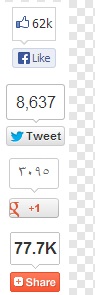
ثالثا :
الكود
كود PHP:
<!-- AddThis Button BEGIN -->
<div class="addthis_toolbox addthis_floating_style addthis_counter_style" style="left:50px;top:50px;">
<a class="addthis_button_facebook_like" fb:like:layout="box_count"></a>
<a class="addthis_button_tweet" tw:count="vertical"></a>
<a class="addthis_button_google_plusone" g:plusone:size="tall"></a>
<a class="addthis_counter"></a>
</div>
<script type="text/javascript">var addthis_config = {"data_track_addressbar":true};</script> <script type="text/javascript" src="//s7.addthis.com/js/300/addthis_widget.js#pubid=ra-51ac4ed24a16c93a"></script>
<!-- AddThis Button END -->
صورة الايقونات
رابعا :
الكود
كود PHP:
<!-- AddThis Button BEGIN -->
<div class="addthis_toolbox addthis_floating_style addthis_32x32_style" style="left:50px;top:50px;">
<a class="addthis_button_preferred_1"></a>
<a class="addthis_button_preferred_2"></a>
<a class="addthis_button_preferred_3"></a>
<a class="addthis_button_preferred_4"></a>
<a class="addthis_button_compact"></a>
</div>
<script type="text/javascript">var addthis_config = {"data_track_addressbar":true};</script> <script type="text/javascript" src="//s7.addthis.com/js/300/addthis_widget.js#pubid=ra-51ac4ed24a16c93a"></script>
<!-- AddThis Button END -->
.
صورة الايقونة

طريقة التركيب الاكثر استخداما هو الكود ادناه
ولكن جميع الكودات تعمل دون مشاكل :
ونبحث
ad_showthread_beforeqr
عادة هذا يكون فارغ وان وجد فيه شي احذفه وركب هذا الكود
كود:
<!-- ALKHULAQI.COM TOOLBAR -->
<table class="tborder" border="0" cellSpacing="1" cellPadding="6">
<tr>
<td class="vbmenu_control"><font face="Tahoma">
<span style="font-size: 9pt; "><strong>$vbphrase[thread_starter]
</strong>
</span></font> </td>
<td class="thead"><b><font face="Tahoma"><span class="smallfont">
<span style="font-size: 9pt">$thread[postusername]</span></span><span style="font-size: 9pt">
</span></font></b> </td>
<td class="vbmenu_control"><font face="Tahoma">
<span style="font-size: 9pt; "><strong>$vbphrase[replies]
</strong>
</span></font> </td>
<td class="thead"><font face="Tahoma"><span class="smallfont">
<span style="font-size: 9pt; font-weight: 700">
$thread[replycount]</span></span></font></td>
<td class="vbmenu_control"><font face="Tahoma">
<span style="font-size: 9pt; "><strong>$vbphrase[views]
</strong>
</span></font> </td>
<td class="thead"><font face="Tahoma"><span class="smallfont">
<span style="font-size: 9pt; font-weight: 700">
$thread[views]</span></span></font></td>
<td class="vbmenu_control"><font face="Tahoma">
<span style="font-size: 9pt; "> <a rel="nofollow" href="/vb/printthread.php?$session[sessionurl]t=$threadid"><img class="style1" src="$stylevar[imgdir_button]/printer.gif" alt="$vbphrase[show_printable_version]" /></a><span lang="en-us">
| <a rel="nofollow" href="/vb/sendmessage.php?$session[sessionurl]do=sendtofriend&t=$threadid"><img class="style1" src="$stylevar[imgdir_button]/sendtofriend.gif" alt="$vbphrase[email_this_page]" /></a> | <a rel="nofollow" href="/vb/subscription.php?$session[sessionurl]do=addsubscription&t=$threadid"><if condition="$show['subscribed']">
<a rel="nofollow" href="/vb/subscription.php?$session[sessionurl]do=removesubscription&t=$threadid">
<img class="style1" src="$stylevar[imgdir_button]/subscribe.gif" alt="$vbphrase[unsubscribe_from_this_thread]" /></a>
<else />
<a rel="nofollow" href="/vb/subscription.php?$session[sessionurl]do=addsubscription&t=$threadid">
<img class="style1" src="$stylevar[imgdir_button]/subscribe.gif" alt="$vbphrase[subscription]" /></a>
</if>
</a></span>
<td class="thead" style="width: 152px"><font face="Tahoma"><span class="smallfont">
<span style="font-size: 9pt; font-weight: 700">
<!-- AddThis Button BEGIN -->
<div class="addthis_toolbox addthis_default_style">
<a href="http://www.addthis.com/bookmark.php?v=250&pub=alkhulaqi" class="addthis_button_compact">انشر</a>
<span class="addthis_separator">|</span>
<a class="addthis_button_facebook"></a>
<a class="addthis_button_myspace"></a>
<a class="addthis_button_google"></a>
<a class="addthis_button_twitter"></a>
</div>
<script type="text/javascript" src="http://s7.addthis.com/js/250/addthis_widget.js#pub=alkhulaqi"></script>
<!-- AddThis Button END -->
</span></span></font></td>
</span></font> </td>
<td class="thead"><b><font face="Tahoma"><span class="smallfont">
<span style="font-size: 9pt"><a name="fb_share" type="button_count" href="http://www.facebook.com/sharer.php">انشر الموضوع</a><script src="http://static.ak.fbcdn.net/connect.php/js/FB.Share" type="text/javascript"></script></span></span><span style="font-size: 9pt">
</span></font></b> </td>
</tr>
</table>
<!-- / ALKHULAQI.COM TOOLBAR -->
ثم احفظ العمل
سيكون بهذا الشكل وهو اجمل وياخذ شكل الستايل ولايوجد فيه مشاكل

حمل الكود من المرفقات
لكم خالص ودي

ليست هناك تعليقات:
إرسال تعليق